Mesh WiFi vs Wired Access Points
Mesh WiFi vs wired access points is a choice between convenience and performance. Mesh kits are easy to set up and need no cabling. Wired access points take more work to install and give a faster, steadier network. Here is what is going on underneath, so you can pick the right one.
How a mesh system works
A mesh kit is a main unit connected to your internet and one or more satellite units placed around the building. The satellites connect back to the main unit wirelessly and rebroadcast the network, so you see one network name everywhere.
The catch is in the word wirelessly. Each satellite has to receive your data over the air and send it on over the air. That link between units uses the same limited airwaves your devices are using, and it is only as good as the signal the satellite itself receives. Put a satellite where the signal is already weak and it faithfully repeats a weak connection.
How wired access points work
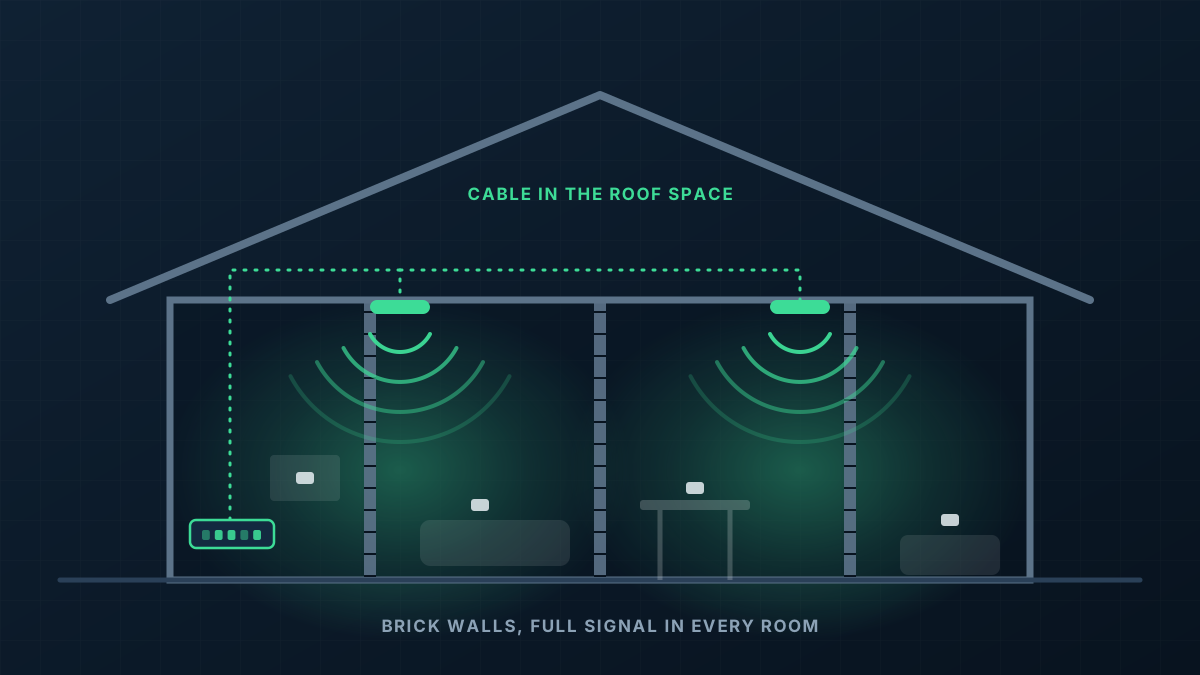
A wired access point connects back to the network through a cable. All of its wireless capacity goes to the devices around it, and its connection to the rest of the network is as fast and steady as the cable.
Because the cable also carries power from the switch, the access point can go wherever coverage is needed, usually the ceiling, rather than wherever there is a spare power point and a shelf.
Where the difference shows
In a small, lightly built home with a handful of devices, a decent mesh kit is often fine and we will tell you so. The difference appears as buildings get bigger, walls get heavier and the number of devices grows.
- Heavy walls: brick, block and stone weaken the link between mesh units as much as they weaken the signal to your phone. A cable does not care what the wall is made of.
- Busy networks: video calls, streaming and cloud backups all at once expose the capacity a mesh spends talking to itself.
- Distance: each extra wireless hop costs more speed. A cabled access point at the far end of the building performs like the one next to the modem.
- Reliability: wireless links between units are affected by interference from neighbours and appliances. Cables are not.
The middle ground
Many mesh kits can be connected by cable between units, which removes the main weakness. At that point you have wired access points with consumer-grade management, which works, though you give up the control and visibility of a business-grade system.
Going the other way, business access points such as UniFi can link wirelessly when a cable cannot reach one location. We use that sparingly, for a single awkward spot, with the other access points cabled.
Which should you choose?
If the building is small and the walls are light, try a mesh kit. If you have already tried one and it has not solved the problem, or the building is brick, large, multi-storey or a workplace, cabling access points is the fix that lasts. Our home network setup and business WiFi pages cover what that involves.