Business WiFi That Keeps Up With the Business
Business WiFi has a harder job than home WiFi: more people, more devices, payment terminals and visitors who all need to connect without getting in each other's way. We install business-grade access points on a wired backbone and set up separate networks for staff, guests and equipment, managed from one place.
Where business WiFi usually comes unstuck
The internet provider's modem is doing everything
The box that came with the internet plan is built for a household. Put a workplace on it and it becomes the weak link for the whole business.
Visitors are on the same network as your files
When the guest password is also the staff password, every visitor's phone sits alongside your computers, printers and shared drives.
Nobody knows what is connected
Devices have been added for years. When something slows the network down, there is no way to see what it is or where.
It was fine until you grew
A setup that suited eight people in one room struggles once the team, the floor space and the number of cloud apps have all doubled.
Built like a network, not a bigger router
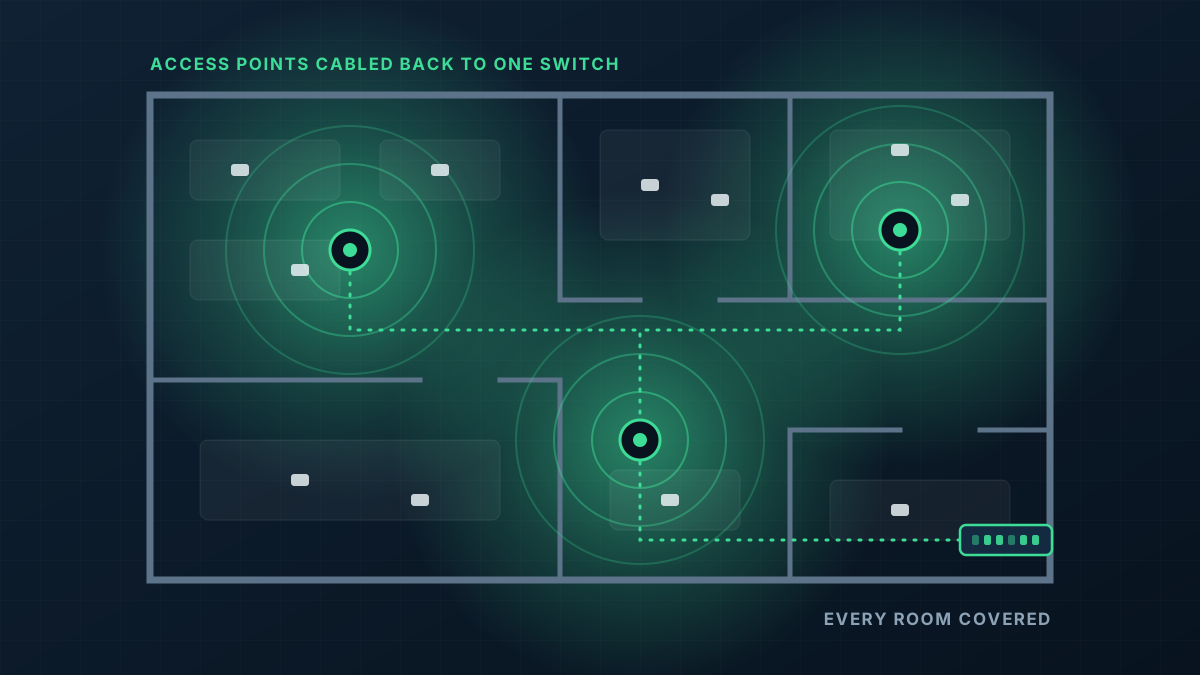
Business WiFi is a system of parts that each do one job: a gateway that manages the internet connection, switches that connect and power everything, and access points that provide the wireless coverage.
- 1
Capacity planned around people
We count users and devices as well as square metres, so busy areas such as meeting rooms and open-plan desks get enough access points to share the load.
- 2
Staff, guest and device networks
Each group gets its own network with its own rules. Guests reach the internet and nothing else. Payment terminals and printers are kept off the guest side entirely.
- 3
One screen for the whole network
Every access point, switch and connected device shows up in a single management app, so faults can be found and settings changed without guesswork.
- 4
Room to add to later
New rooms, a second tenancy or an outdoor area can be added as more access points on the same network rather than a separate system.
From first message to working network
Tell us how the business runs
How many people, what they do online, where they sit, and what has been going wrong. A floor plan helps, and for bigger sites we come and look.
Design and quote
You get a written quote that sets out the access points, switching and cabling we would install and why.
Install around your trading hours
Cabling and mounting are planned so the existing network keeps running until the new one is ready to take over.
Cut over and check
We move the business across, confirm each network behaves as intended and show whoever looks after IT how to use the management app.
What shapes the quote
Every building is different, so we quote each job on its own details rather than from a price list. These are the things that move it.
Get a Quote- Number of staff and devices, and how concentrated they are
- Floor area, number of levels and what the walls and ceilings are made of
- How many separate networks you need and what rules apply to each
- Existing cabling, switches or cabinets that can be kept
- Whether installation needs to happen after hours
- Whether you want us to look after the network once it is running
Business WiFi: common questions
What makes business WiFi different from a good home router?
Can guests use the WiFi without reaching our systems?
Will our EFTPOS and printers still work?
Do we need an IT person to run it?
What hardware goes in?
Get a Quote
Tell us what the building is and where the WiFi lets you down. A floor plan or a few photos helps if you have them, and we will ask for those when we call.
Thanks, that has come through
We will be in touch to talk through the site. If you would rather ring us, the number is 0485 001 498.
Rather talk it through?
Tell us what the building is, where the WiFi drops out and what is installed now. We will tell you what we would do about it.