Point to Point WiFi vs Cable Between Buildings
Point to point WiFi vs cable is the decision whenever a shed, workshop or second building needs to join the main network. A buried cable is permanent and immune to weather. A wireless bridge goes up in a fraction of the time and crosses things you cannot dig through. Here is how to choose.
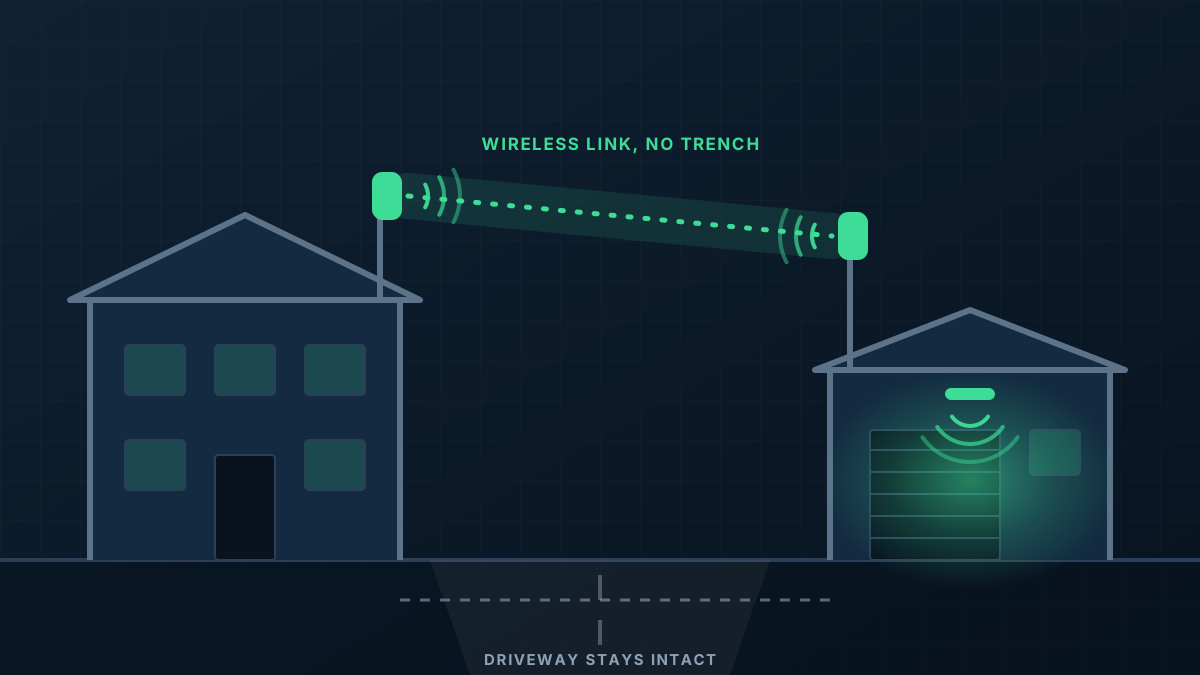
What each option involves
Running a cable between buildings means a trench or an existing conduit, cable rated for underground use, and proper protection where it enters each building. Over longer distances standard network cable runs out of reach and fibre is used instead.
A point-to-point link is a pair of directional radios, one fixed to each building and aimed at the other. A short cable connects each radio to the network inside. Nothing crosses the ground in between.
When a cable is the better choice
Choose a cable when the route is short and easy: a garden bed between a house and a studio, an existing conduit with space in it, or a trench that is already open for power or plumbing. Sharing a trench that someone is digging anyway is the cheapest moment to bury a data conduit, so if any earthworks are planned, speak up early.
Cable is also the natural choice where there is no line of sight and no practical way to create one, or where the link must carry very heavy traffic all day.
When a wireless link is the better choice
Choose a wireless link when the ground between the buildings is the obstacle. Concrete hardstand, bitumen driveways, public roads, established gardens, long paddocks and other people's land all make trenching slow, costly or impossible.
A link also suits buildings that are far apart, temporary arrangements such as a site office, and situations where you need the connection soon. Installation is typically a matter of mounting and aligning two radios.
What a wireless link needs to work well
Three things decide whether a point-to-point link will be dependable.
- Line of sight: the radios should be able to see each other, with clearance around the direct path. Trees are the usual culprit, and they grow.
- Rigid mounting: the beam between the radios is narrow. A bracket that flexes in the wind will make the link come and go.
- Careful alignment: a link that merely connects is not the same as one that has been aligned for its best signal. The difference shows up in bad weather.
What happens at the far end
Either way, the far building then needs its own equipment: a small switch for wired devices and an access point for WiFi. The cable or link only carries the network across. This is the part people forget when comparing prices.
Our rule of thumb
If a cable can be run without digging up anything sealed and without a long trench, run the cable. Otherwise a properly installed link is a sound, lasting answer, not a compromise. Our point to point WiFi page explains how we install them, and data cabling covers the buried option.