Network Installation for Offices and Commercial Sites
Network installation covers everything between the internet connection and the devices that use it: the gateway, the switches, the cabinet, the cabling and the WiFi. We install complete networks for new premises and replace ones that have grown into a tangle.
When the network itself is the problem
A cupboard nobody wants to open
Unlabelled cables, a stack of small switches plugged into each other and a power board holding it all together.
Everything on one flat network
Computers, phones, cameras, printers and guests all share one network, so a fault or an infected device affects everything.
You are moving in
A new office, shop or shed with bare walls is the cheapest moment to get the cabling and equipment right.
Slow, and nobody can say why
Old switches, long daisy-chains and consumer routers create bottlenecks that no internet upgrade will fix.
Each part doing one job well
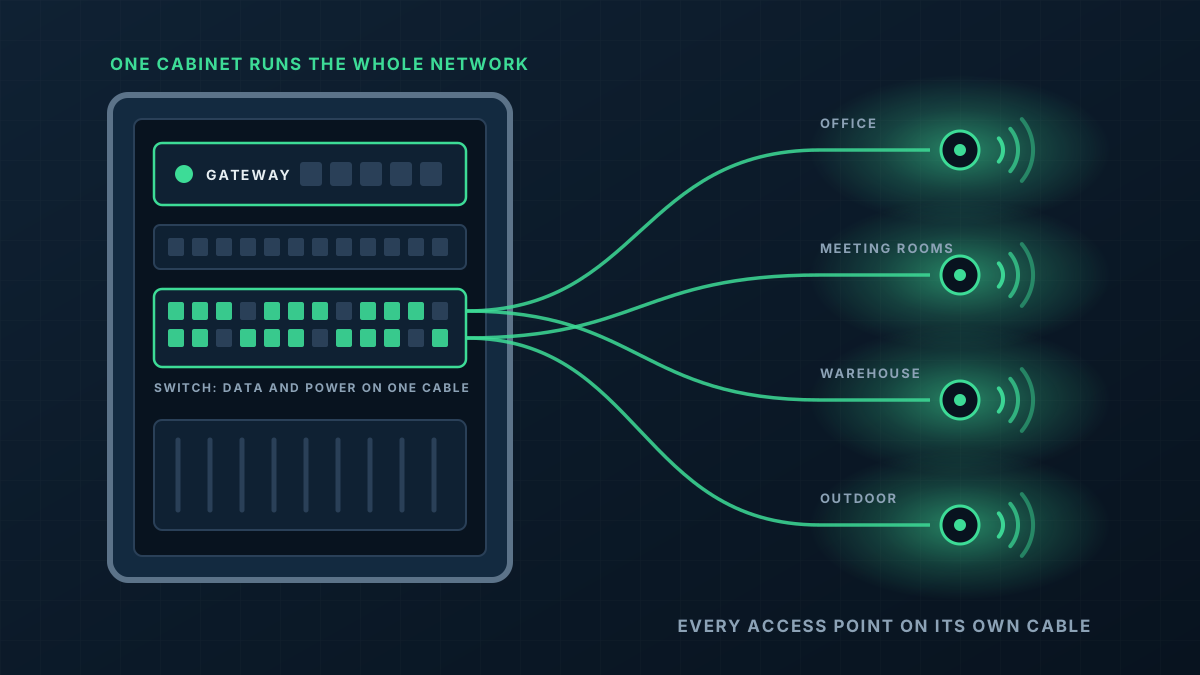
A reliable network is not complicated. It is a small number of well-chosen parts, connected in a tidy and deliberate way, with every cable accounted for.
- 1
Gateway and firewall
One device manages the internet connection, keeps unwanted traffic out and controls what each internal network may reach.
- 2
Switches sized for the site
Enough ports, enough PoE power for access points and phones, and fast links between switches so nothing queues behind a slow uplink.
- 3
Cabinet and patching
Equipment is racked or wall-mounted in a cabinet, with cables terminated on a patch panel and labelled at both ends.
- 4
Segmented networks
Staff, guests, phones, security devices and building equipment are separated into their own networks with rules between them.
From first message to working network
Tell us what is there
Photos of the current cabinet and a list of what needs connecting, or the plans if it is a new site.
Design and quote
We set out the equipment, the cabling and how the network will be divided up, in a written quote.
Build
Cabling is run and terminated, the cabinet is fitted out and equipment is installed and connected.
Migrate and test
Devices are moved onto the new network in a planned changeover, and each connection is checked before we leave.
What shapes the quote
Every building is different, so we quote each job on its own details rather than from a price list. These are the things that move it.
Get a Quote- Number of wired devices and data points
- Number of access points and other PoE devices
- Whether a cabinet exists or is needed, and where it can go
- New cabling required versus existing cabling that can be reused
- How many separate networks and what rules sit between them
- Extras such as a second internet connection or links between sites
Network Installation: common questions
Do you supply the equipment or just install it?
Can remote staff and other sites connect in?
Can we keep working while you replace the network?
Do you look after it afterwards?
Get a Quote
Tell us what the building is and where the WiFi lets you down. A floor plan or a few photos helps if you have them, and we will ask for those when we call.
Thanks, that has come through
We will be in touch to talk through the site. If you would rather ring us, the number is 0485 001 498.
Related services
Rather talk it through?
Tell us what the building is, where the WiFi drops out and what is installed now. We will tell you what we would do about it.