Point to Point WiFi Between Buildings
Point to point WiFi joins two buildings with a pair of directional radios that behave like a network cable through the air. It is how we connect sheds, workshops, second offices, gatehouses and granny flats to the main network when digging a trench is impractical.
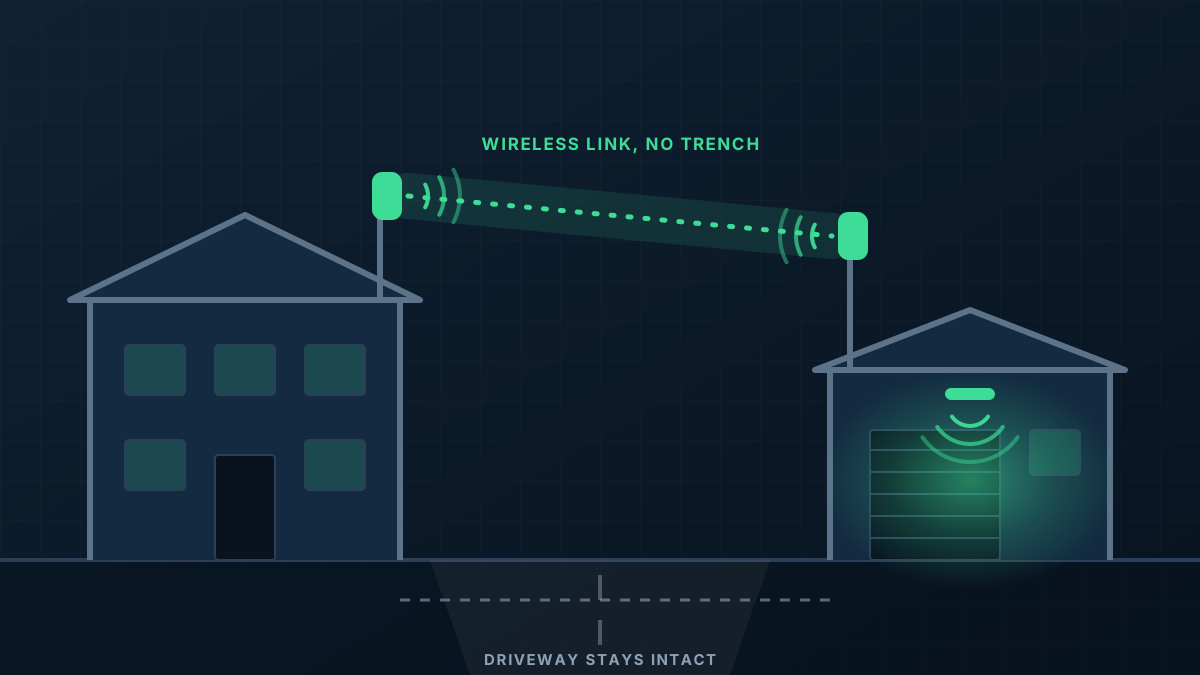
When a wireless bridge is the right answer
A building with no connection
The shed, workshop or second office has power but no data, and the main building's WiFi does not reach it.
Something in the way of a trench
A driveway, a car park, a road or simply a long distance makes burying a cable slow and disruptive.
Two internet bills for one business
A second internet service was put on next door just to get that building online, and now the two sites cannot share anything.
Cameras or equipment at a distance
A gate, a pump shed or a remote corner of the yard needs to be on the network.
Two radios, one clear path
A point-to-point link is simple when it is done carefully. One radio on each building, aimed at each other, with a clear view between them and a cable from each into its local network.
- 1
Line of sight checked first
The radios need to see each other. We check the path for trees, roofs and anything likely to grow or be built in the way.
- 2
Radios matched to the distance
Bridge radios are chosen for how far apart the buildings are and how much traffic the link has to carry.
- 3
Solid mounting and alignment
Radios are fixed to brackets or poles that will not move in wind, then aligned for the strongest link rather than just a working one.
- 4
WiFi at the far end
The link carries the network across. An access point or switch in the second building then serves the devices there.
From first message to working network
Tell us what you are linking
The two buildings, roughly how far apart they are, and what is between them. A marked-up aerial photo is ideal.
Check the path and quote
We confirm line of sight and mounting points, then send a written quote for the link and whatever is needed at each end.
Mount and align
Radios are installed on both buildings, cabled inside and aligned.
Test under load
We test the link carrying real traffic and set up the network in the far building.
What shapes the quote
Every building is different, so we quote each job on its own details rather than from a price list. These are the things that move it.
Get a Quote- Distance between the two points
- Whether there is a clear line of sight, or a mast or relay point is needed
- How much traffic the link must carry
- Mounting: existing walls and roofs, or new poles
- Power and cabling at each end
- What needs installing in the far building once it is connected
Point to Point WiFi: common questions
Is a point-to-point link as good as a cable?
Does it need line of sight?
Does rain or wind affect it?
Can one building feed several others?
Is this the same as extending my WiFi?
Get a Quote
Tell us what the building is and where the WiFi lets you down. A floor plan or a few photos helps if you have them, and we will ask for those when we call.
Thanks, that has come through
We will be in touch to talk through the site. If you would rather ring us, the number is 0485 001 498.
Rather talk it through?
Tell us what the building is, where the WiFi drops out and what is installed now. We will tell you what we would do about it.