UniFi Installer for Networks Done Once and Done Right
UniFi installer work is what we do most: Ubiquiti UniFi gateways, switches and access points designed for the building, cabled in, adopted and configured as a single managed network. We also take over UniFi systems that were set up by someone else and are not behaving.
When it is worth calling a UniFi installer
You have the gear but not the time
The boxes arrived, the access points are still on the desk, and the cabling through the ceiling is the part nobody wants to do.
A self-install that half works
Devices show as offline, the guest network leaks into the main one, or access points were set to mesh wirelessly when they should be cabled.
You inherited someone else's setup
The person who built the network has moved on, nobody has the login, and every change is a risk.
You want it designed before you buy
Choosing between gateways, switch sizes and access point models is easier with someone who installs them every week.
The whole UniFi stack, set up to work together
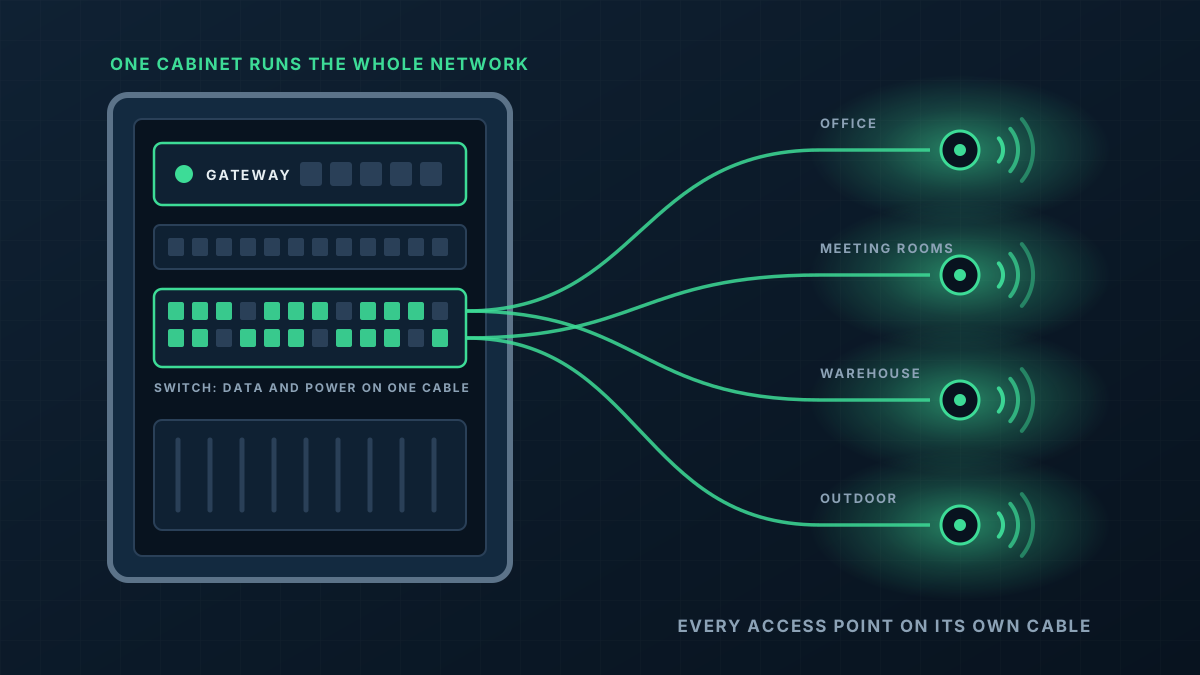
UniFi works best when the gateway, switches and access points are all part of the same system, managed in one app. We design to that, and we do the cabling that makes it possible.
- 1
Gateway
The gateway manages the internet connection, the firewall and the rules between networks. We size it to the site and the internet service behind it.
- 2
Switching
PoE switches power the access points and connect wired devices. We allow for the ports you need now and some headroom.
- 3
Access points
Indoor, outdoor and wall-mounted models chosen for each location, every one of them cabled back to a switch.
- 4
Configuration
Networks, VLANs, WiFi names, guest access and remote management are set up and tested.
From first message to working network
Tell us what you have
A new build, an upgrade from consumer gear or an existing UniFi site with problems. Photos of the current setup help a lot.
Design and quote
We specify the hardware, the cable runs and the configuration, and quote it in writing. If you already own some of the gear, we design around it.
Install
Cabling, mounting and cabinet work are completed, then each device is adopted into the UniFi controller.
Configure and hand over
We test coverage and each network, then walk you through the app so you know how to see what is connected and make simple changes.
What shapes the quote
Every building is different, so we quote each job on its own details rather than from a price list. These are the things that move it.
Get a Quote- Whether we are supplying the hardware or installing equipment you already own
- Number of access points, switch ports and the gateway model the site calls for
- Cable runs: distance, ceiling access and anything between buildings
- How much configuration is involved, such as multiple networks, VPN or several sites
- Whether an existing UniFi setup needs to be untangled first
UniFi Installer: common questions
Will you install UniFi gear I have already bought?
What warranty comes with UniFi hardware from you?
Can you fix a UniFi network someone else installed?
Are there ongoing licence fees with UniFi?
Do you also install UniFi cameras and door access?
Get a Quote
Tell us what the building is and where the WiFi lets you down. A floor plan or a few photos helps if you have them, and we will ask for those when we call.
Thanks, that has come through
We will be in touch to talk through the site. If you would rather ring us, the number is 0485 001 498.
Rather talk it through?
Tell us what the building is, where the WiFi drops out and what is installed now. We will tell you what we would do about it.